[was] jboss 설치방법 [펌]
[was] jboss 설치방법 [펌]
우선 jboss 설치 파일은 아래의 url에서 다운로드할 수 있다.
http://jbossas.jboss.org/downloads/
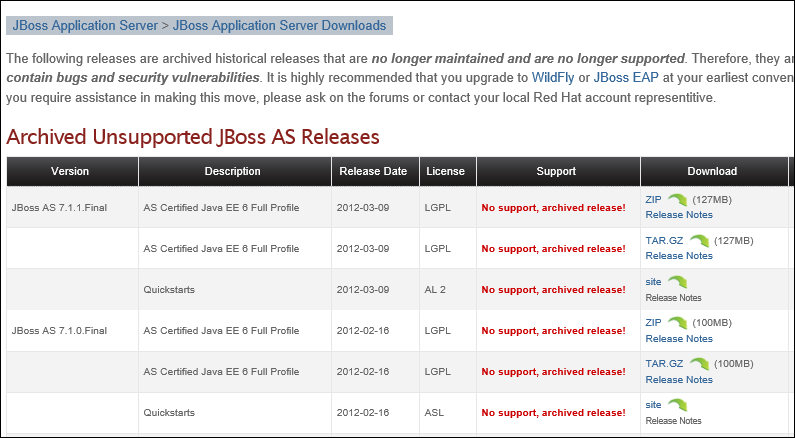
위의 그림에서 필요한 버전을 다운로드 받는다. 다운로드 완료 후
해당 폴더 내 bin폴더로 이동하여 add-user.bat를 실행한다.
add-user.bat 파일은 관리자 계정을 생성할 수 있는 배치파일이다.
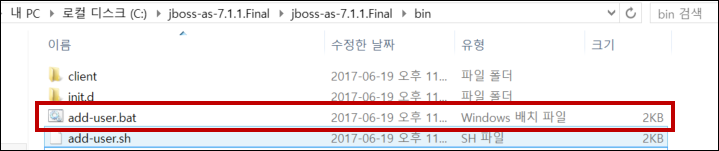
이후 먼저 type 설저에서 a(관리자 계정생성)을 선택 한 후 username값과 password 값을 입력하면
정상적으로 계정이 생성된다.
What type of user do you wish to add?
a) Management User (mgmt-users.properties)
b) Application User (application-users.properties)
(a): a
Enter the details of the new user to add.
Realm (ManagementRealm) :
Username : crehacktive
Password :
Re-enter Password :
About to add user 'crehacktive' for realm 'ManagementRealm'
Is this correct yes/no? yes
Added user 'crehacktive' to file 'C:\jboss-as-7.1.1.Final\jboss-as-7.1.1.Final\s
tandalone\configuration\mgmt-users.properties'
Added user 'crehacktive' to file 'C:\jboss-as-7.1.1.Final\jboss-as-7.1.1.Final\d
omain\configuration\mgmt-users.properties'
이후 아래의 그림과 같이 bin폴더 내 standalone.bat 파일을 실행하여 서버를 실행시킨다.
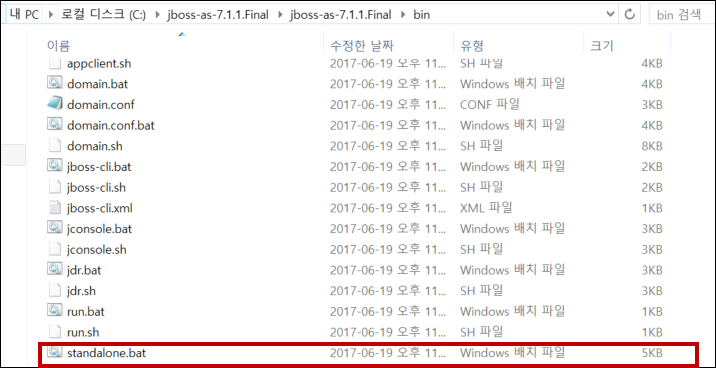
정상적으로 구동 완료 후 http:/localhost:8080 페이지 접근 시 jboss start page를 확인할 수 있다.
그리고 http://localhost:9990 으로 접근 시 jboss 관리자 페이지에 접근할 수 있으며, 해당 생성한 계정 입력 후 정상적으로 관리자 페이지 이용이 가능하다.
